Apple iPad Pro 13-inch (M5) Performance Review: What You Get for the Price
This post may contain affiliate links. Please read ourdisclosure policy
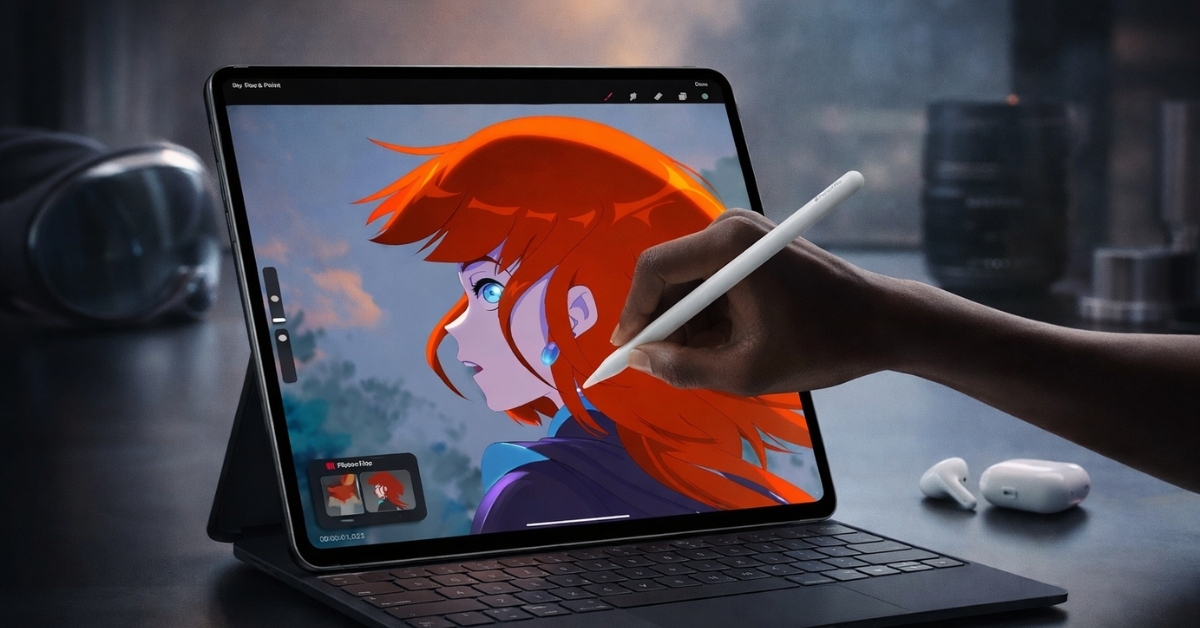
A tablet that edits 4K video, runs console-level games, and replaces parts of a laptop workflow sounds unrealistic. The Apple iPad Pro 13-inch (M5) challenges that assumption in a practical way.
This model focuses on raw speed, a high-brightness OLED display, and accessories that push productivity further than past iPads. This device targets users who expect fast exports, accurate colors, and stable performance under long workloads.
The M5 chip changes how demanding apps behave on iPadOS, especially for creative tools and multitasking. Pricing starts at a premium level, so understanding real-world value matters. The sections below break down design, display quality, performance, battery life, software limits, and buying considerations in clear terms.
Apple iPad Pro 13-inch (M5) Design and Build Quality
The Apple iPad Pro 13-inch (M5) keeps a thin aluminum chassis that measures about 0.20 inches thick and weighs roughly 1.28 pounds. That weight reduction stands out during long handheld use, especially for reading, sketching, or on-site work.
Build quality feels consistent with Apple’s professional lineup. Buttons offer firm feedback, and the flat edges help with grip. Space Gray and Silver finishes resist fingerprints better than glossy alternatives.
The Thunderbolt / USB-4 port supports external displays, fast SSDs, and audio interfaces. For desk setups, a single cable handles charging and data. The magnetic connector for the Magic Keyboard locks securely and stays aligned during frequent opening and closing.
Ultra Retina XDR Tandem OLED Display Experience
The 13-inch Ultra Retina XDR display uses tandem OLED technology, delivering deep contrast and accurate colors. Resolution lands at 2752 × 2064, which keeps text sharp at normal viewing distances.
Peak HDR brightness reaches 1,600 nits, based on Apple display specifications. That brightness improves outdoor visibility and HDR video playback.
According to DisplayMate testing standards often referenced in display reviews, brightness above 1,000 nits significantly improves HDR clarity in high-contrast scenes. ProMotion adjusts refresh rates between 10Hz and 120Hz. Scrolling feels smooth, while static content saves battery power.
The P3 wide color gamut and True Tone help reduce eye strain during long sessions. For glare-heavy environments, higher storage models offer a nano-texture glass option. This finish cuts reflections without softening image detail, which helps during studio lighting or outdoor use.
M5 Chip Performance in Real Workflows
The Apple M5 chip includes up to a 10-core CPU, 10-core GPU, and a next-generation Neural Engine. RAM scales with storage, topping out at 16GB on 1TB and 2TB models.
In creative testing scenarios, large Procreate canvases with dozens of layers respond instantly. Video timelines in LumaFusion handle multiple 4K streams without dropped frames.
According to benchmark comparisons shared by tech analysts, M-series chips consistently outperform competing tablet processors by a wide margin in sustained workloads. Gaming performance remains stable during extended sessions. Titles like Resident Evil Village maintain high frame rates without aggressive thermal throttling. Heat stays controlled even during long exports, which matters for reliability.
Storage Options and Amazon US Pricing
Storage selection impacts both performance and cost. Current Amazon US pricing for Wi-Fi models typically follows this range: ● 256GB – $1,299 ● 512GB – $1,499 ● 1TB – $1,899 ● 2TB – $2,299 Cellular versions add about $200 across configurations. The jump from 512GB to 1TB also includes a RAM increase, which benefits multitasking and large projects. For many users, 512GB offers a balance between price and flexibility. Large media libraries, RAW photo storage, and offline video editing benefit from higher tiers.
iPadOS 26 and Multitasking Improvements
iPadOS 26 takes advantage of the M5 chip with smoother animations and faster background processing. Stage Manager supports flexible window layouts and external displays up to 6K resolution. File handling feels more desktop-like than earlier versions, though macOS still offers deeper control.
App switching stays fluid even with multiple heavy apps active. Some professional tools, such as Final Cut Pro for iPad, offer trimmed feature sets compared to desktop versions. This limitation matters for advanced workflows, especially audio production and software development.
Apple Pencil Pro and Magic Keyboard Experience
The Apple Pencil Pro introduces squeeze gestures, barrel rotation, and subtle haptic feedback. These features speed up tool changes during drawing or note-taking. Artists benefit from more natural brush control, especially in Procreate and Affinity Designer.
The Magic Keyboard adds a backlit keyboard and a responsive trackpad. Typing feels similar to a MacBook keyboard, and gesture support improves navigation. Combined accessory costs reach nearly $500, which factors into overall value.
Camera, Connectivity, and Audio Performance
The rear 12MP camera handles document scanning and reference shots with good clarity. Smart HDR improves dynamic range in mixed lighting. The front 12MP TrueDepth camera supports Center Stage, keeping faces centered during video calls.
Wi-Fi 7 support improves stability in crowded networks. Bluetooth 6.0 enhances connection reliability for keyboards, headphones, and controllers. Cellular models support 5G with eSIM, useful for travel and field work. Quad speakers deliver balanced audio with noticeable bass for a tablet. Spatial Audio improves immersion during video playback.
Battery Life and Charging Behavior
Apple rates battery life at up to 10 hours for web browsing and video playback. Real-world use aligns with that estimate during office tasks.
Heavy rendering or gaming reduces runtime to around 5–6 hours. Fast charging depends on the adapter used. A 30W or higher charger reduces charge time to under two hours. Standby drain stays minimal, often losing only a few percent per day.
Limitations and Different Perspectives
This tablet suits power users, though it may feel excessive for basic streaming or email. macOS still offers better support for advanced coding, plugin-heavy audio work, and complex file systems. Budget-focused buyers may prefer the iPad Air with M-series chips.
That model handles everyday tasks well at a lower price. Laptop users who rely on legacy software may still prefer a MacBook.
Conclusion: Who This iPad Fits Best
The Apple iPad Pro 13-inch (M5) delivers speed, display quality, and accessory support that rival lightweight laptops. Creative professionals, designers, and mobile editors gain the most value from its performance and screen accuracy.
Casual users may find better value elsewhere, though this model excels as a long-term investment for demanding workflows. Exploring the device on Amazon provides insight into current pricing, storage options, and compatible accessories. Beyond this tablet, Apple’s broader lineup offers other options worth exploring based on budget and use needs.