LG UltraWide 34-Inch Curved WQHD Monitor: A Smart Upgrade for Daily Work and Play
This post may contain affiliate links. Please read ourdisclosure policy
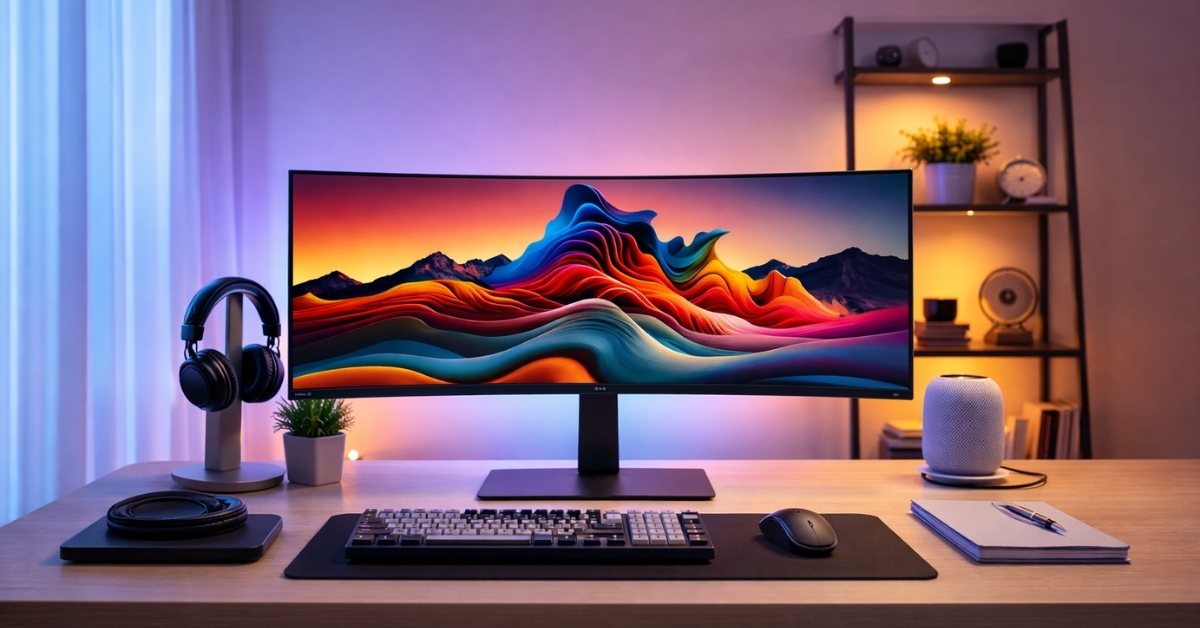
A desk setup can quietly shape productivity, focus, and even comfort. The LG UltraWide 34-Inch Curved WQHD Monitor enters that conversation as a practical solution for people who juggle work tasks, creative projects, and downtime on a single screen. Built with a 21:9 ultrawide layout, this monitor changes how windows, timelines, and spreadsheets fit together. Instead of stacking tabs or switching displays, everything stays visible and organized.
Screen time keeps increasing across most professions. According to the U.S. Bureau of Labor Statistics, full-time computer-based roles often exceed 1,700 screen hours per year. That makes display quality and layout more than a luxury. This LG model focuses on clarity, space, and comfort without pushing into premium pricing territory.
LG UltraWide 34-Inch Curved WQHD Monitor Display Quality and Screen Design
The LG UltraWide 34-Inch Curved WQHD Monitor uses a 3440 × 1440 resolution, commonly referred to as WQHD. This resolution provides noticeably more workspace than standard 1080p screens and avoids the scaling issues some users experience with 4K displays at this size.
Key display specs
- 34-inch curved VA panel
- 3440 × 1440 resolution
- 21:9 aspect ratio
- 1800R curvature
- 99% sRGB color coverage
Text appears sharp without eye strain, and multiple windows fit side by side with room to breathe. The curve helps keep the edges of the screen within a comfortable viewing distance, which matters during long work sessions.
Visual Performance for Work, Media, and Everyday Use
This monitor relies on VA panel technology, known for strong contrast levels. LG lists a 3000:1 contrast ratio, which delivers deep blacks and solid shadow detail. That benefits tasks like:
- Photo editing
- Watching films
- Reading dense text documents
Brightness reaches around 300 nits. That works well for offices and home setups, though direct sunlight can still cause glare. The anti-glare coating helps reduce reflections without softening image quality.
HDR10 support improves contrast range in compatible content, though expectations should stay realistic. This HDR implementation enhances highlights and shadow detail but does not compete with high-end HDR displays.
100Hz Refresh Rate and Motion Handling
A 100Hz refresh rate offers smoother motion than standard 60Hz panels. Scrolling web pages, moving windows, and light gaming all feel more fluid. Performance breakdown
- 100Hz refresh rate
- 5ms response time
- AMD FreeSync support
Casual gaming benefits from reduced screen tearing when paired with compatible AMD graphics cards. Fast-paced competitive gaming remains better suited to higher refresh rate monitors, but this screen performs well for relaxed play, racing games, and strategy titles.
Productivity Tools That Actually Help
Ultrawide monitors shine in productivity scenarios, and this model includes tools that support that strength. Useful features
- Picture-by-Picture (PBP) for dual input viewing
- LG OnScreen Control software
- Built-in screen split layouts
PBP allows two devices to share the screen at once, which works well for a work laptop and personal computer setup. OnScreen Control simplifies window management without relying on third-party apps.
Spreadsheet users, developers, and writers benefit most from the extra horizontal space. Code files, timelines, and documents stay visible without constant resizing.
Color Accuracy and Creative Work
With 99% sRGB coverage, color reproduction meets the needs of most content creators. Graphic design, photo editing, and video editing workflows look consistent across standard platforms.
This monitor does not target high-end color grading professionals who require AdobeRGB or DCI-P3 calibration. For everyday creative tasks and online publishing, color accuracy remains reliable and predictable.
Ports, Build Quality, and Ergonomics
Connectivity stays simple and practical. Available ports
- 2 × HDMI 2.0
- 1 × DisplayPort 1.4
- 3.5mm audio out
There are no built-in speakers, which some users prefer for desk flexibility. Audio routing through the headphone jack keeps cable clutter low. The included stand supports tilt adjustment only. Height and swivel adjustments require a VESA-compatible monitor arm. This limitation comes up often in user reviews and should be considered for ergonomic setups.
Real-World Use Cases from Extended Testing
Extended desk use highlights where this monitor performs best. Office and remote work
- Two full-size documents side by side
- Video calls alongside notes
- Large spreadsheets with fewer scroll breaks
Creative workflows
- Wider video timelines
- Tool panels visible without overlap
- Improved focus from reduced window switching
Entertainment
- 21:9 format matches most modern films
- Immersive viewing for racing and simulation games
Not all content supports ultrawide formatting. Some streaming shows display side bars, which remains a common tradeoff with ultrawide screens.
Price, Value, and Market Position
On Amazon US, this monitor typically lists at $349.99, placing it firmly in the mid-range ultrawide category. Sales often reduce the price during major shopping events. Compared with similar models, this display prioritizes resolution and workspace over premium gaming features. That balance works well for professionals and general users seeking long-term value. Limitations to keep in mind
- No height adjustment stand
- No built-in speakers
- HDR performance remains entry-level
Final Thoughts
The LG UltraWide 34-Inch Curved WQHD Monitor fits users who want more space, smoother motion, and reliable color without paying premium-tier prices. It supports productivity, creative work, and casual entertainment in a balanced way.
Exploring the product on Amazon provides current pricing and availability, along with related accessories like monitor arms and cables. There are also other ultrawide options worth browsing depending on desk size, gaming needs, or color requirements.