How the TP-Link Archer A6 V4.6 Handles Modern Home Internet Needs
This post may contain affiliate links. Please read ourdisclosure policy
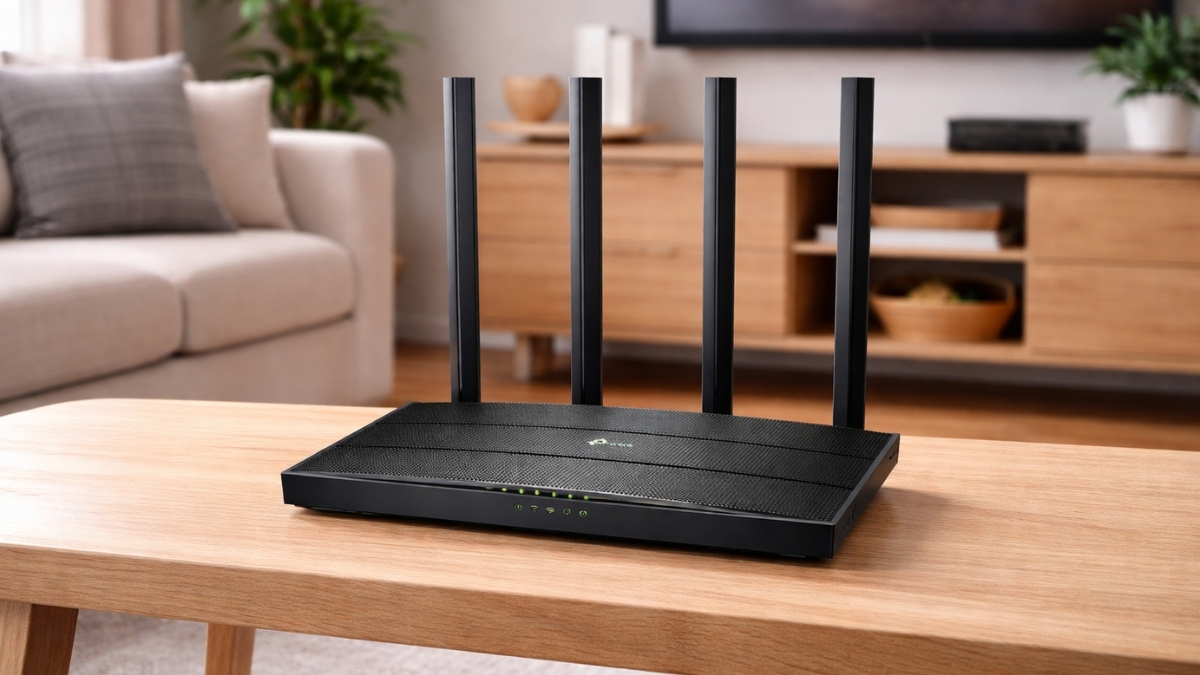
The TP-Link Archer A6 V4.6 proves that reliable home Wi-Fi does not need a premium price. This router sits comfortably under the $60 mark, yet it covers the basics many households rely on every day. Streaming, video calls, browsing, and smart devices all feel stable and predictable.
Homes now run on connected devices. Phones, TVs, laptops, and smart plugs all compete for bandwidth. A router that handles traffic smoothly makes a real difference. The Archer A6 V4.6 focuses on practical performance instead of flashy extras.
Dual-band Wi-Fi, MU-MIMO support, and gigabit ports come standard. Setup stays simple. Coverage feels consistent in small to medium spaces. Security stays current with WPA3 support through firmware updates. This router aims to solve everyday problems without adding complexity.
TP-Link Archer A6 V4.6 Performance and Coverage
Dual-Band AC1200 Wi-Fi Explained
The TP-Link Archer A6 V4.6 delivers AC1200 dual-band speeds designed for daily use.
- 2.4GHz band: up to 400 Mbps
- 5GHz band: up to 867 Mbps
The 2.4GHz band works well for smart home gear and longer distances. The 5GHz band handles streaming, video calls, and downloads with fewer slowdowns. Speeds stay realistic for real homes, not lab conditions.
Coverage for Apartments and Smaller Homes
This router comfortably covers up to 1,500 square feet. Apartments, condos, and small houses fall well within its range. Signal strength stays steady across rooms on the same floor. Multi-story homes may need placement adjustments or an extender. Four external antennas help push signal through walls and furniture without much effort.
MU-MIMO for Busy Networks
MU-MIMO allows the router to communicate with multiple devices at the same time. Phones, laptops, and TVs stay connected without waiting for turns. This helps reduce slowdowns when several people stream or browse at once. The difference shows up during peak hours. Streams load faster. Calls feel smoother. Everyday multitasking stays consistent.
Beamforming for Stronger Connections
Beamforming directs Wi-Fi toward connected devices instead of spreading signal evenly everywhere. Devices farther from the router benefit the most. Bedrooms and workspaces keep a stronger, steadier connection.
Real-World Device Handling
The TP-Link Archer A6 V4.6 manages 10 to 15 connected devices with ease. Typical performance includes:
- Multiple HD streams running at the same time
- Stable video calls for work or school
- Smooth casual gaming sessions
- Download speeds that match the internet plan
4K streaming on several screens at once can push limits. Competitive gaming that demands ultra-low latency may need higher-end hardware. For normal daily use, performance stays dependable.
Hardware Design and Connectivity
Compact and Practical Build
The router measures about 8.5 × 4.6 × 1.2 inches. It fits neatly on shelves, desks, or TV stands. The flat design keeps antennas upright and unobtrusive. Central placement improves overall coverage. Elevated positions help reduce interference.
Ports and Wired Performance
Connectivity stays straightforward:
- 1 Gigabit WAN port
- 4 Gigabit LAN ports
- Power input
- Reset button
- WPS button
Gigabit ports support fast wired connections for desktops, consoles, and smart TVs.
OneMesh Support for Expansion
OneMesh compatibility allows pairing with TP-Link range extenders later. Coverage can expand without replacing the router. Devices roam smoothly under one network name. This feature adds long-term flexibility, especially for growing spaces.
Power Efficiency
Power usage stays under 10 watts during normal operation. Energy costs remain minimal, even with continuous use.
Setup and User Experience
Quick Setup Process
Setup typically takes 10 to 15 minutes:
- Connect the router to the modem
- Join the default Wi-Fi network
- Follow the setup wizard in the browser or Tether app
- Create network names and passwords
- Apply settings and restart
Clear instructions guide each step.
TP-Link Tether App
The free Tether app allows easy management:
- Device monitoring
- Guest network controls
- Parental controls
- Basic QoS settings
- Remote access
The layout stays clean and intuitive.
Web Interface for Advanced Settings
The browser dashboard provides deeper control:
- Port forwarding
- Dynamic DNS
- Security tools
- Network diagnostics
Menus stay organized and easy to navigate.
Security and Network Controls
WPA3 Wireless Security
Firmware updates add WPA3 encryption, improving protection against password attacks. This keeps the network aligned with modern security standards.
Parental Controls and Guest Access
Parental controls allow:
- Content filtering
- Time limits
- Device-specific rules
Guest networks stay isolated from the main network and support bandwidth limits.
Firewall Protection
Built-in firewall features include:
- SPI filtering
- DoS protection
- IP and MAC filtering
Price and Overall Value
The TP-Link Archer A6 V4.6 usually sells for $49.99 to $59.99, with frequent discounts. At this price, it offers:
- MU-MIMO support
- Gigabit Ethernet ports
- Dual-band AC1200 speeds
- WPA3 security
- OneMesh compatibility
No subscriptions are required. Maintenance stays minimal.
Who This Router Fits Best
This router works well for:
- Apartments and small homes
- Students and renters
- Small families
- Remote work setups
- Budget-focused upgrades from ISP routers
Larger homes or heavy gaming setups may need mesh systems or Wi-Fi 6 models.
TP-Link Archer A6 V4.6
The TP-Link Archer A6 V4.6 focuses on what matters most: stable Wi-Fi, simple setup, and strong value. Performance feels reliable for daily tasks. Coverage suits most smaller living spaces. Security stays current with ongoing updates. This router makes sense for users who want dependable home internet without overspending.
Exploring the product on Amazon helps check current pricing, reviews, and availability. There are plenty of other networking options worth exploring too, depending on space and usage needs.